Deutsch
 English
 العربية
Mobile App, Web App or Website? A Practical Business Decision Guide
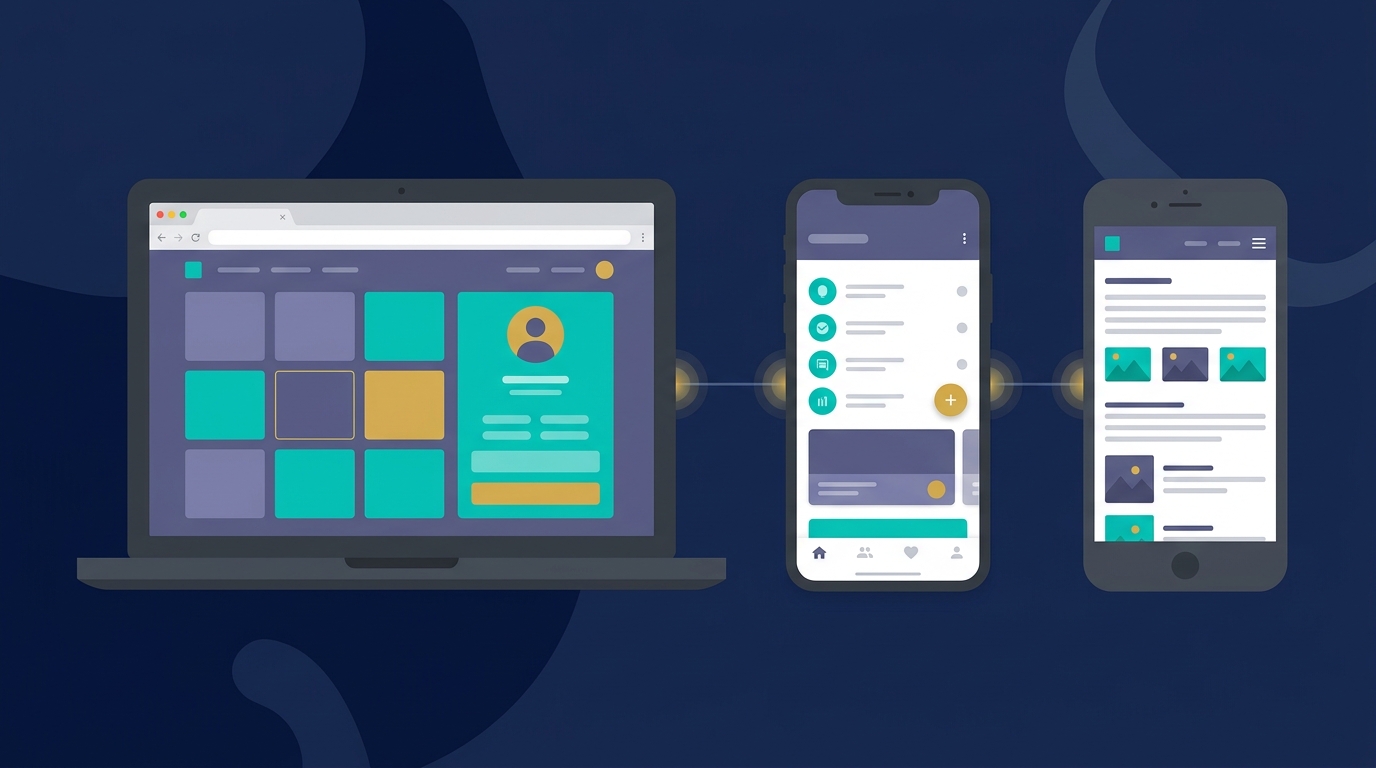
When planning a new digital product, business owners and startup founders face a fundamental decision: Do we need a classic marketing website, an interactive web application (web app), or a native mobile app for iOS and Android?
Choosing the wrong technology stack can lead to inflated development costs, missed launch deadlines (time-to-market), and high maintenance overhead. Conversely, matching the right technology to your business goals keeps the project focused and cost-effective.
This guide provides a structured decision framework to help you choose the right path. The budgets mentioned are non-binding market estimates, not binding Pixzo quotes or fixed pricing.
Comparison Table: Technologies at a Glance
| Feature | Classic Website | Web Application (Web App) | Native Mobile App |
|---|---|---|---|
| Primary Focus | Content, brand authority, lead generation | Interactive workflows, data processing | Mobile performance, OS hardware access |
| Platforms | All browsers (Responsive UX) | All browsers (Responsive UX) | iOS (App Store), Android (Google Play) |
| Development Time | Weeks (fastest launch) | Months | Months to years |
| Offline Capabilities | No | Limited (supported via PWA setups) | Full offline functionality |
| Hardware Access | No | Limited (camera, geographic location) | Complete (push alerts, Bluetooth, GPS) |
| SEO Visibility | Extremely High (primary SEO channel) | Medium (often behind logins/paywalls) | None (requires App Store Optimization) |
| Estimated Cost | Low to Medium (1,500–12,000 €) | Medium to High (from 15,000 €) | High (often from 25,000 € per platform) |
Defining the Three Options
1. The Classic Marketing Website
A marketing website is designed to present information clearly, build brand authority, answer user questions, and capture leads (such as consultation requests).
- Typical Use Cases: Corporate websites, portfolios, landing pages, blogs, and local service providers (like law firms or clinics).
- Technology Stack: Clean HTML, CSS, and minimal JavaScript, often built using modern static site generators (like Astro) or traditional content management systems (CMS).
- Key Strengths: Superior search engine optimization (SEO), ultra-fast page load times, and low upfront development and maintenance costs.
- Limitations: Not suited for complex user accounts, lack of offline functionality, and no access to mobile device hardware features.
2. The Interactive Web Application (Web App)
A web app is an interactive software program that runs inside a web browser. Unlike a static website, the user interacts with data, inputs information, and moves through complex digital workflows (usually behind a user login).
- Progressive Web Apps (PWAs): Web applications that can be installed on a mobile device’s homescreen, work offline, and send basic push notifications without requiring app store installation.
- Typical Use Cases: Customer portals, booking engines, Software-as-a-Service (SaaS) products, reporting dashboards, and online client portals.
- Technology Stack: Modern JavaScript frameworks (React, Vue, Angular) integrated with robust databases and backend APIs.
- Key Strengths: Zero download barriers for users, cross-platform compatibility, instant updates (bypassing app store approval delays), and much lower development costs than native mobile apps.
- Limitations: Limited system-level access (such as deep Bluetooth integrations or background processing on mobile devices).
3. The Native Mobile App
A native app is written specifically for a mobile operating system (iOS or Android) and must be downloaded from the Apple App Store or Google Play Store.
- Typical Use Cases: Mobile games, real-time messaging apps, fitness trackers analyzing sensor data, and applications requiring extensive offline utility.
- Technology Stack: Swift or Objective-C (iOS), Kotlin or Java (Android), or cross-platform code bases like Flutter and React Native.
- Key Strengths: Peak graphic performance, full access to device hardware (push notifications, GPS tracking, bluetooth connections, local storage), and strong customer retention via homescreen real estate.
- Limitations: High initial development budgets (often requiring two separate builds for iOS and Android), recurring app store maintenance requirements, and zero organic search engine visibility.
Lifecycle Cost Considerations
Budget planning must extend beyond the initial launch phase to cover ongoing operational costs:
- Initial Development: Native apps require specialized skill sets for each operating system, which can duplicate development budgets. Web applications share a single codebase across all devices.
- Maintenance & Updates: Regular iOS and Android system releases require native apps to be updated to prevent crashes. Web applications are insulated from mobile OS updates and are significantly cheaper to maintain.
- Infrastructural Fees: Web platforms require standard cloud hosting and databases. Native apps also require active developer accounts with Apple ($99/year) and Google ($25 one-time fee) to publish in stores.
The MVP (Minimum Viable Product) Strategy
For new product ideas, we strongly recommend the MVP approach: launch the simplest functional version of your software to gather real user feedback before investing major capital.
A responsive web application (or PWA) is often the ideal MVP step. It is faster and cheaper to build than a native mobile app, runs instantly on any smartphone, and can serve as a functional prototype. If the concept proves successful, you can build native apps later using the same backend APIs.
Decision Checklist: Which is Right for You?
Review these questions to determine the best path for your project:
- Must users discover your product in the App Stores?
If yes: Native Mobile App. - Does your product require offline background data processing or Bluetooth integrations?
If yes: Native Mobile App (or PWA for simpler needs). - Is Google Search (organic SEO) your primary channel for acquiring new users?
If yes: Classic Website or SEO-friendly Web App. - Are you digitizing internal business workflows with user logins and dashboards?
If if yes: Web Application. - Do you need to launch quickly on a tight budget to validate an idea?
If yes: Classic Website (for content-heavy goals) or Web App (for utility-heavy goals).
Conclusion: Fit the Tech to the Goal
There is no single “best” technology stack—only the right solution for your specific business goals. If you need to establish credibility and capture leads, a website is the correct choice. If you want to digitize services, select a web app. If you require system-level mobile features, invest in a native app.
Need help defining the scope and technology stack for your next digital product? Our team at Pixzo analyzes your requirements to recommend the most cost-effective and technically sound solution.